Projects / Keel
Keel
One app for the schedule, the boards and the team conversation, instead of MS Project, Monday and Slack.
Program management software for multi-team, high-tech programs. A clickable prototype built as the real front end, so nothing is thrown away when a backend arrives.
Opens in a new tab. Click Demo in the bottom-right corner to play a scenario. ·Source on GitHub
Why I built it
The problem
On a big program, the plan lives in MS Project, the tasks on a board, and the real news in Slack threads and email. Every week the PM stitches them back together by hand to see what changed and write the status report, and by then it’s already out of date.
The idea
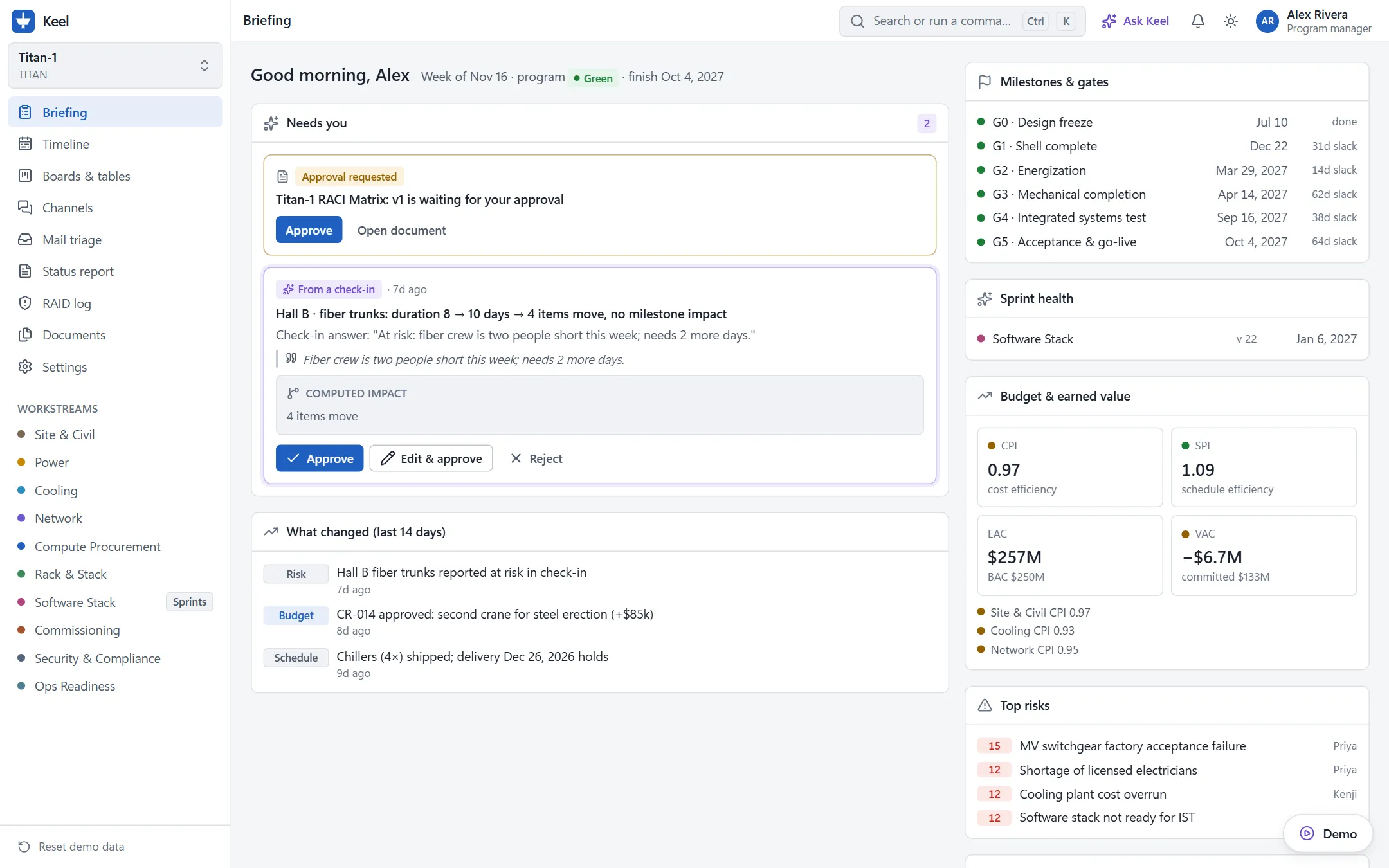
Keep the plan and the conversation in one place. Every task has its own thread, and when someone writes “the delivery slips three weeks”, Keel turns it into a proposed plan change with its impact, ready for the PM to approve in one click.
Today’s tools
Program managers on multi-team hardware and software programs juggle three tools, and none of them holds the whole picture:
| Today | The gap | Keel |
|---|---|---|
| MS Project | Strong scheduling, no collaboration | The same scheduling core, built for a team |
| Monday-style boards | Flexible boards, shallow dependencies | Boards and a real critical-path engine |
| Slack and email | The conversation is cut off from the plan | The conversation is the plan |
So the PM spends the week chasing updates and rewriting status reports by hand.
How it works
Every plan item has its own thread. Emails, chat and engineering-tool events land on the item they’re about, and AI turns what people say into proposed plan changes, with their schedule and cost impact worked out.
- Conversation: a message, an email, a check-in answer or a Jira event arrives.
- Signal: AI pulls out what changed, such as a delivery slipping three weeks.
- Proposal: a concrete plan change with its impact: what moves, the critical path, milestone status, cost.
- Plan: the PM approves, edits or rejects. Approved changes reschedule the plan and are logged.
Nothing changes the plan without approval, and every suggestion links back to the message it came from.
See it work
The main demo scenario, “the switchgear slip”, on Titan-1, a fictional data-center build of about 530 items and 660 dependencies:
- A supplier emails that a switchgear lineup failed factory testing and will ship three weeks late.
- Keel files the email to the right procurement item and proposes the delay. The energization gate turns from green to red.
- The PM approves. The timeline reschedules and the critical path moves.
- A workstream lead offers to recover five days with weekend crews. Keel drafts a change request, and the exec persona approves it.
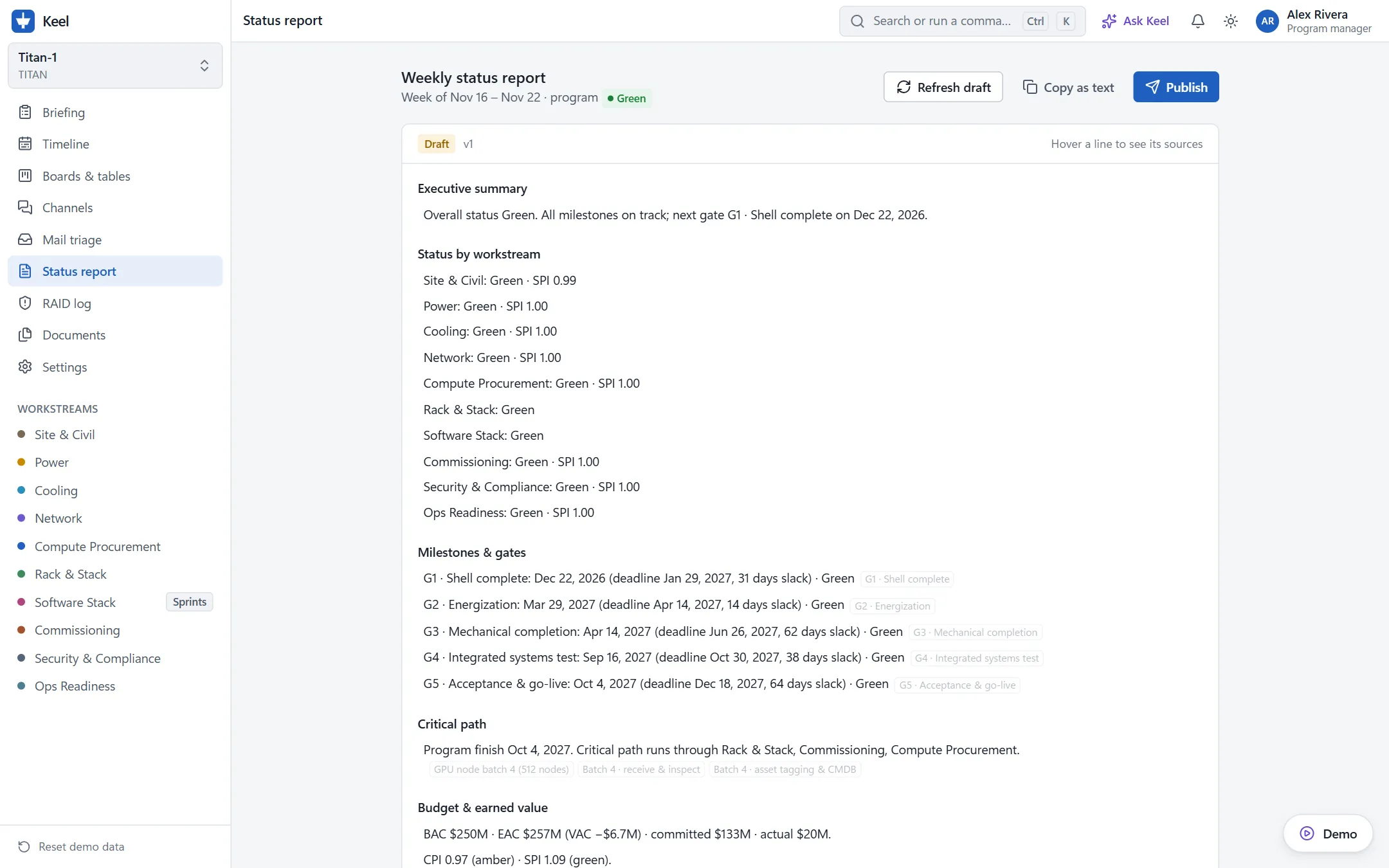
- The status report redrafts itself, and each line links to the email, the proposal and the change request.
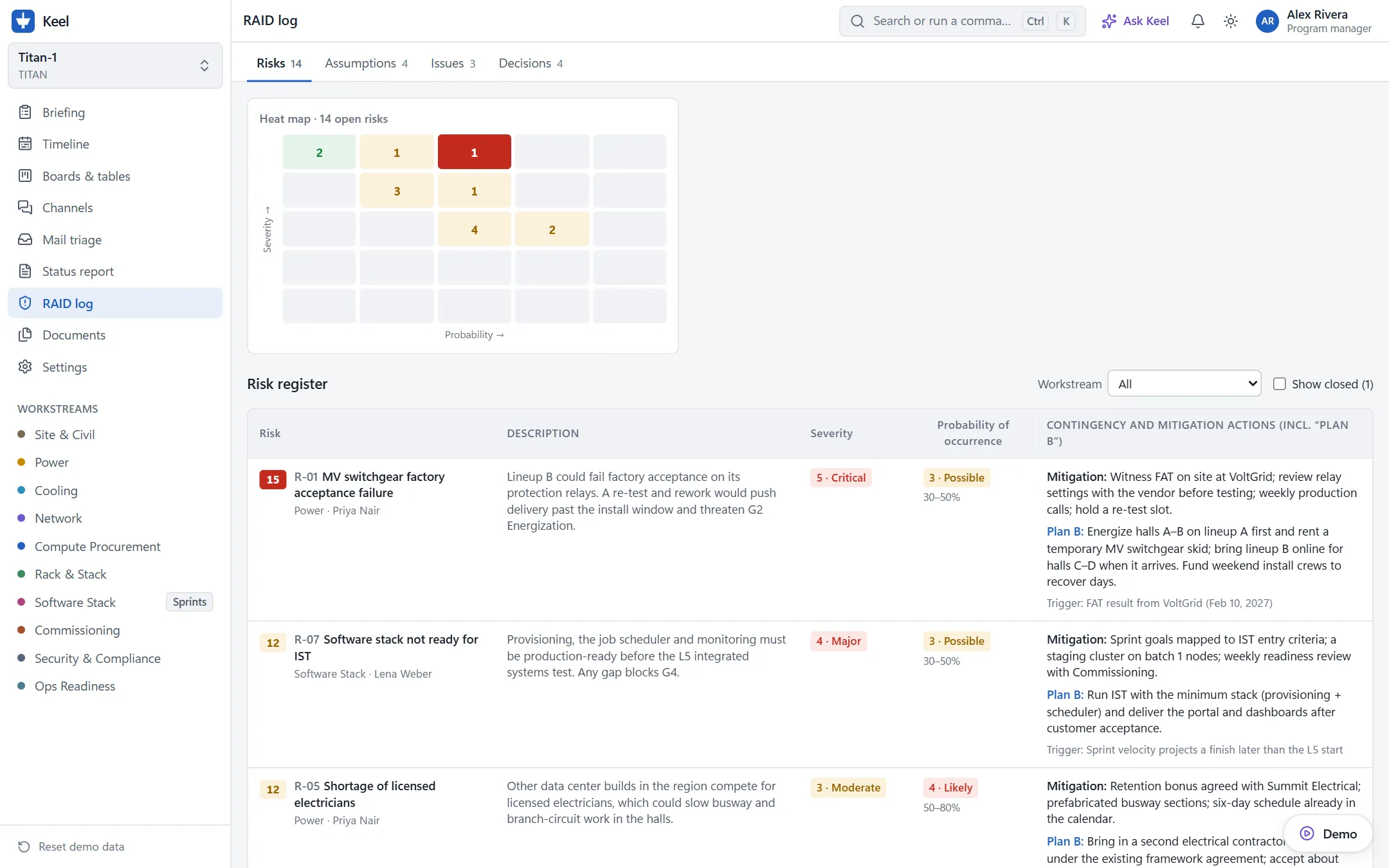
Three more scenarios run on the same data: a critical-path check-in where only exceptions reach the PM, a sprint slip promoted from a Slack message to a decision, and a pen-test finding that becomes a logged risk and a fix task. Open the live demo and click Demoin the bottom-right corner to play them.
Screens
What’s built
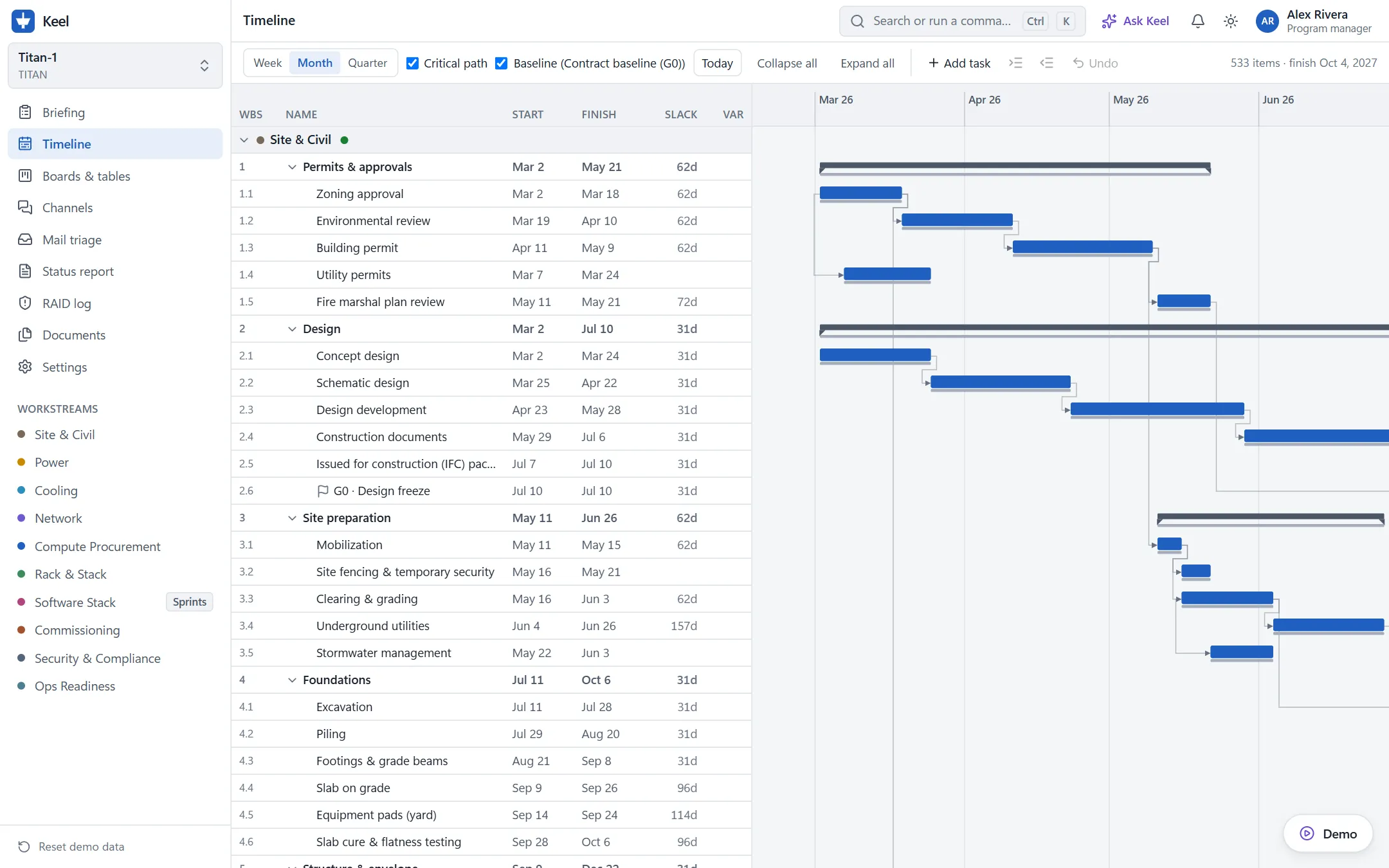
- A scheduling engine a PM can trust: critical path, finish-to-start and start-to-start links with lag, baselines and variance, and deadlines that show when a gate is late.
- Real scale: a 530-item plan imported through a working MS Project file importer, with 83 people across 10 workstreams.
- Ten screens: Briefing, Timeline, Boards and tables (sprints, budget and earned value, workload), Channels, Mail triage, Status report, RAID log, and living Documents.
- Living documents: a charter, requirements with traceability, a RACI and a stakeholder plan that update from the plan, with sign-off, versions and alerts when the plan drifts from what was approved.
- Two contrasting programs: a waterfall data-center build and an agile AI software launch.
Decisions
- Build the real front end, not a throwaway mock. Every screen talks to one typed API, so the prototype becomes the product when a backend is added.
- AI proposes, the PM decides. A plan people commit to can’t change behind their backs, so every change waits for one-click approval.
- Traceable by default. Every AI suggestion and every status-report line links to its source, so it can be checked.
- Runs with no AI key. A scripted provider drives the demo, so anyone can try it.
Next
Phase 5: settings, connector setup screens (Jira, GitHub, Outlook, Gmail, Slack, Teams), Ask Keel, a bring-your-own-key Claude provider, and exports. Then a polish and accessibility pass, and a real backend.
Tech stack
- Frontend
- React
- TypeScript
- Vite
- Tailwind CSS
- Radix UI
- React Router
A dense, app-like interface (split grid and Gantt, boards, threads) that needs real component state.
- Backend / data
- Typed mock API (in-memory + localStorage)
- TanStack Query
- TanStack Virtual
- Zustand
Every screen talks to one typed API contract, so a real backend can replace the mock without rewriting screens. Virtualized rows keep a 500-item plan smooth.
- AI
- Scripted provider
The demo runs with no API key. A bring-your-own-key Claude provider is the next phase.
- Quality
- Vitest
- Testing Library
- Playwright
- ESLint
The scheduling engine ships with tests in the same commit, and each demo scenario has an end-to-end test.
- Infra
- Vercel
A static build, deployed as is.